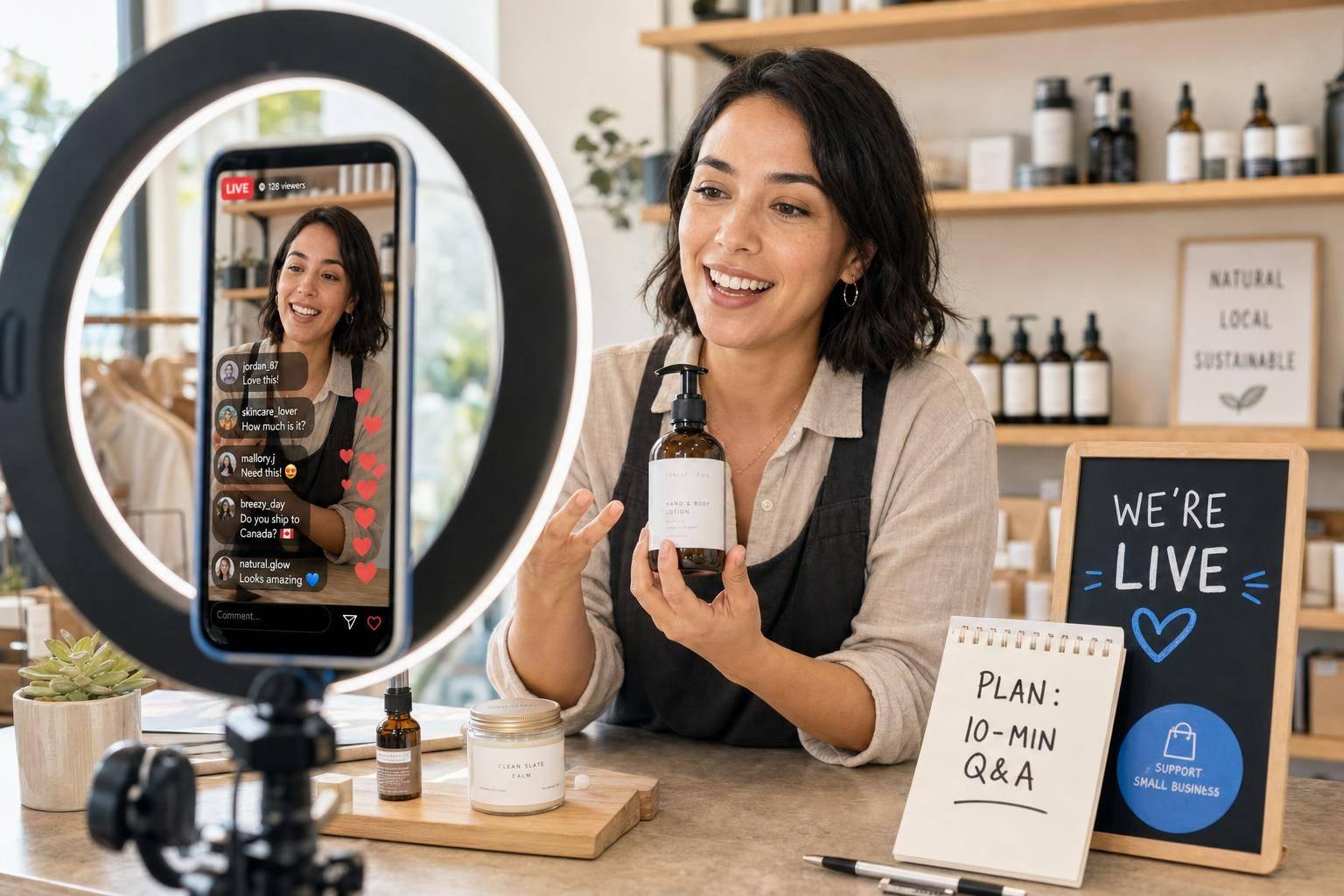
Live video works best when I keep it simple: one narrow topic, one main platform, one repeatable format, and one clear goal. That matters because 82% of people prefer live video to standard social posts, and live product demos can lift purchase rates by 30%.
If I want live streaming to drive social engagement, I focus on a short list:
- Pick topics from real customer questions
- Use the platform where my audience already shows up
- Keep sessions short – about 15 to 30 minutes
- Build in one or two chat prompts, polls, or Q&A moments
- Clip the best parts after the stream for posts, Reels, Shorts, and email
- Review watch time, comments, shares, repeat viewers, and clicks before the next session
What counts is not just views. I look for comments, poll responses, shares, saves, and repeat attendance. A smaller audience that joins the chat and comes back next time usually means more than a large group that leaves fast.
I also do better when I treat live video as a repeat process, not a one-time event. That means testing audio and internet first, using a short run-of-show, promoting the stream ahead of time, answering questions in a clear flow, and turning the recording into follow-up content after the session ends.
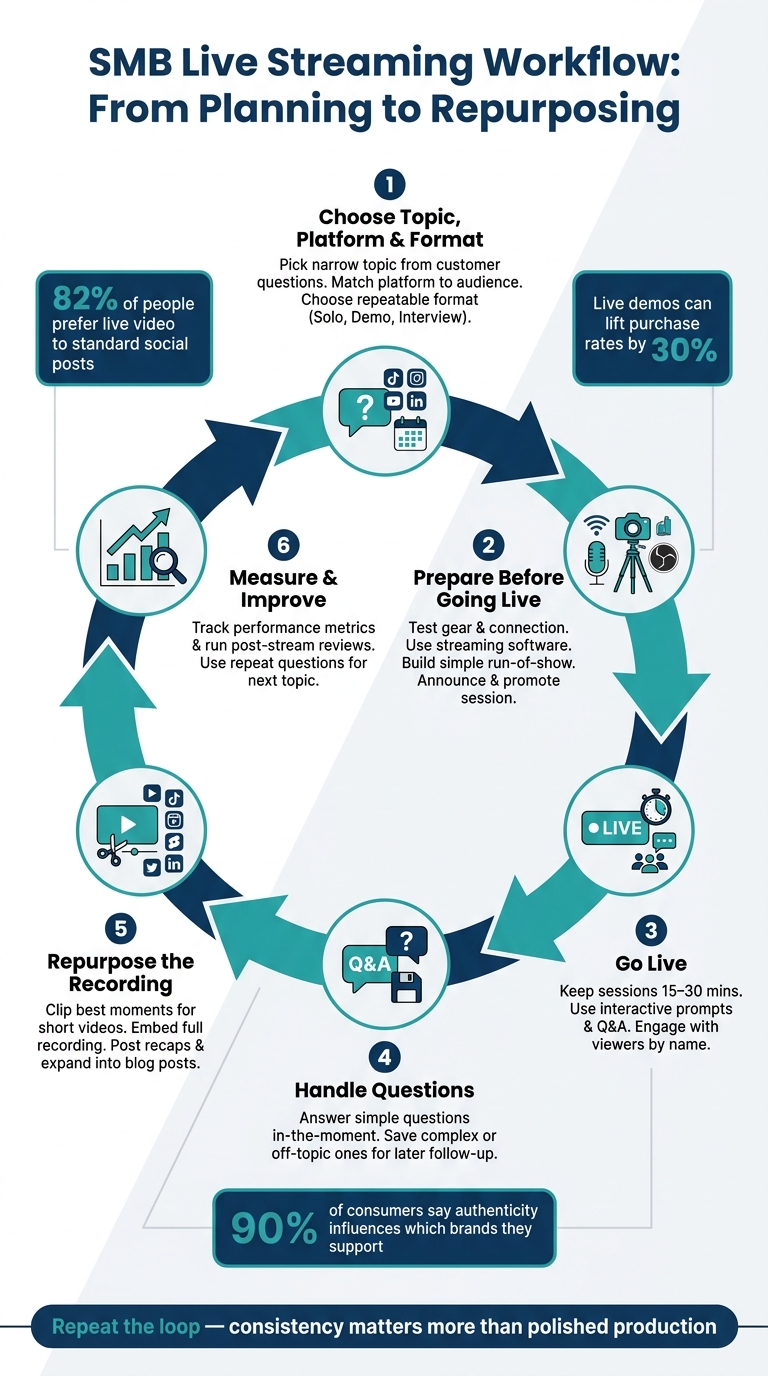
SMB Live Streaming Workflow: From Planning to Repurposing
How to make an engaging live stream
sbb-itb-fd64e4e
Choose the Topic, Platform, and Format
Start with a topic your audience already asks about. Then choose the platform and format based on how those people already spend time online.
Pick a Narrow Topic Your Customers Already Ask About
Look at support tickets, FAQ pages, comments, and social mentions. If the same question shows up again and again, that’s usually a strong topic for a live session – especially if it gives people room to ask follow-up questions or respond to polls.
Narrow topics tend to keep people watching longer than broad ones. A session like "How to Set Up a Specific Feature" or "Solving a Common Error" usually works better than a high-level industry overview. The sweet spot is a topic narrow enough to cover in 15 to 30 minutes, but still open enough to spark comments and live questions.
Good fits include troubleshooting walkthroughs, feature tutorials, office hours, and short expert interviews. It also helps to choose topics you can revisit later without having to rebuild the whole format from scratch.
Authenticity matters: 90% of consumers say it influences which brands they like and support.
Match the Platform to the Audience You Already Have
Use the platform where your audience is already active. Stick with the same main platform each time so people know where to find you. If you try to go live on several platforms at once, your team’s attention gets split, and the session often suffers across the board.
Here’s the simple match:
- Instagram Live works well for informal, phone-first audiences.
- Facebook Live fits community updates and open Q&A.
- YouTube Live is a good fit for longer educational sessions with replay value.
- LinkedIn Live works for B2B content, professional services, and executive-facing topics where people expect a more polished tone.
Pick one main platform and stay consistent.
Pick a Format Your Team Can Run Without Issues
Choose a format your team can run without problems. It should also be something you can repeat in a 15 to 30 minute window without a scramble every time.
| Format | Best Use | Prep Level | Interaction Style | Staffing Needs |
|---|---|---|---|---|
| Solo Presentation | Thought leadership or quick updates | Low | One-way with chat monitoring | 1 (Host) |
| Live Demo | Step-by-step walkthroughs or fixes | Medium | Visual demonstration + Q&A | 1-2 (Host + Camera/Mod) |
| Interview | Expert insights or guest features | Medium | Conversational / dialogue | 2 (Host + Guest) |
| Office Hours | Customer support and open questions | Low | Highly interactive | 1-2 (Host + Moderator) |
| Moderated Discussion | Deep dives into complex topics | High | Structured debate / panel | 3+ (Host + Panelists + Mod) |
If you’re just getting started, begin with solo presentations or office hours. They’re simpler to run and easier to repeat. Save interviews and panels for later, once your team has a few live sessions under its belt.
Once the topic, platform, and format are set, build the run of show and promo plan.
Prepare Before You Go Live
Once your topic, platform, and format are set, prep is what keeps the stream steady and the conversation moving. It cuts down on lag, audio problems, and awkward silence. Good prep helps protect watch time and gives people more reason to stay in the comments.
Set Up and Test the Technical Basics
A steady stream starts with the right setup. Use a wired Ethernet connection when you can. If you need to use Wi-Fi, make sure the signal is strong.
Then dial in the basics: a clear microphone, an HD camera or smartphone, front lighting, and a quiet, professional background. Streaming software can help you control scenes, overlays, and transitions.
| Technical Element | What to Use | Why It Matters |
|---|---|---|
| Internet | Wired Ethernet or strong WiFi | Minimize lag and prevent disconnections |
| Audio | External microphone | Ensures clear, professional sound quality |
| Video | HD camera or smartphone | Provides sharp, engaging visuals |
| Lighting | Front lighting | Keeps the host visible and the image professional |
| Software | OBS, Streamlabs, or Restream | Helps manage transitions and overlays |
| Backup | Backup power and internet | Keeps the stream running if something fails |
Run a private test stream before the live session. Check your audio levels, lighting, software stability, and moderator access to comment tools. If your audio and video hold up, viewers are far more likely to stick with you.
Build a Simple Run of Show for a 15- to 30-Minute Session
Your run of show does not need to be fancy. For a 15- to 30-minute session, a simple structure works well: a short welcome and topic setup, the main content block, one planned interaction point like a poll or chat prompt, and a clear call to action. Use bullets instead of a word-for-word script so you sound natural, not stiff.
"It is important to plan and curate your content in order to avoid any confusion or misrepresentation, ensuring that your audience gets what they came for." – Chetnaa Yadav, PRofessionals & Coffee
It also helps to prep a few backup prompts in case the chat is quiet. One clear moment for comments or questions is usually enough to keep the session moving without turning it into a stop-and-start exchange.
Schedule the Session and Announce It in Advance
Post the date and time in U.S. format. Say what the topic is and give one clear reason to attend. Then promote it on social and email, and send reminders before you go live.
If the platform has native event reminders, use them. You can also collect questions ahead of time through a form or post. That gives you something to open with and helps avoid dead air in the first few minutes.
Drive Participation During and After the Stream
Once the stream is live, use prompts, moderation, and repurposing to turn attention into action.
Use Clear Prompts and Moderation to Keep the Chat Active
Use Q&A, polls, and shoutouts to keep viewers involved. For SMBs, the aim is simple: keep the chat moving without adding extra production work. Call out useful comments by name when it fits. Use live polls or surveys when you want viewers to weigh in on the spot. Set moderation rules before you go live, then apply them in the chat so the discussion stays tied to the session topic.
Handle Questions Within the Session Flow
Use your planned Q&A slot, then take a few live questions as they come in. Answer straightforward questions in the moment. Save off-topic or more complex ones for follow-up. If some questions go unanswered, don’t waste them – use them for a recap post or as the topic for a future live session.
Turn the Recording Into Short Clips and Recap Posts
After the live Q&A ends, reuse the strongest moments from the recording. Pull out concise answers, short demos, guest quotes, and checklists. Add captions to each clip, and trim dead space or awkward technical transitions. Then match each format to the channel and the people you’re trying to reach.
| Repurposed Format | Best Platform | Primary Purpose |
|---|---|---|
| Short clips | TikTok, Instagram Reels, YouTube Shorts | Reach new viewers |
| Embedded recordings | Newsletters and websites | Support follow-up |
| Recap posts | LinkedIn, Facebook | Summarize key takeaways |
| Deeper follow-ups | YouTube, blog posts | Expand on complex topics |
Measure Results, Improve the Next Session, and Keep Branding Consistent
Track the Engagement Metrics That Matter
Once the recording is clipped and posted, use the results to decide what to do again next time. Track only the metrics tied to the goal of that session. For customer support, look at submitted questions and watch time. For growth, look at new follows, peak and average viewers, comment volume, poll participation, and CTA clicks.
Don’t stop at raw totals. Look at when engagement went up or down. A sharp drop partway through the stream usually means the pacing slowed or the topic changed in a way that lost people. Also check how your repurposed clips perform after the stream. If one clip keeps people watching, that’s a strong sign the topic or format is worth using again in a future session.
Run a Short Post-Stream Review to Improve the Next Broadcast
Keep the review short and practical. After the stream, run through four quick questions:
- Which opening prompt got the most replies?
- Where did viewers drop off?
- Which questions came up more than once?
- Which moments are worth clipping?
Repeat questions matter a lot. If the same question keeps coming up, that’s your next topic. Use those repeat questions and drop-off points to shape the next live session instead of starting from zero.
Conclusion: Repeat What Works and Fix What Slows Engagement
The full process is a short loop you can run again and again: pick one focused topic, use the platform where your audience already spends time, prepare a simple run of show, guide participation with clear prompts, handle questions during the session, repurpose the recording into clips, and review what worked before you go live again.
For most SMBs, a regular schedule matters more than polished production. If it gets hard to keep visuals and messaging consistent from one session to the next, Robust Branding can help SMBs align overlays, backgrounds, and clip templates under one brand identity.
FAQs
How often should an SMB go live?
SMBs should prioritize consistency over frequency. There’s no single rule, but sticking to a regular schedule helps keep your audience engaged and aware of new products or promotions.
Look at your audience data and engagement patterns to find the timing that works best. A steady cadence helps viewers know when to tune in and keeps your brand top of mind over time.
What if no one engages during the stream?
If engagement is low during a live stream, lean into interactivity. Use live polls, surveys, and Q&A to give viewers a simple reason to join in. It also helps to set clear expectations before the session starts, so people know they’ll have chances to take part instead of just watch.
If participation still stays low, look at the results after the stream and adjust your approach for the next one. Small tweaks can go a long way. Consistent, personalized follow-up can also help keep your audience connected between streams.
How do I know if my live stream is working?
Don’t stop at follower counts. During the live stream, track engagement signals like chat activity, poll participation, emoji reactions, and any spikes or drop-offs in session duration.
After the event, look at results such as sign-ups or sales, attendee feedback, website traffic, lead quality, and social interaction rates. That gives you a clear view of both the immediate effect and what happened over time.