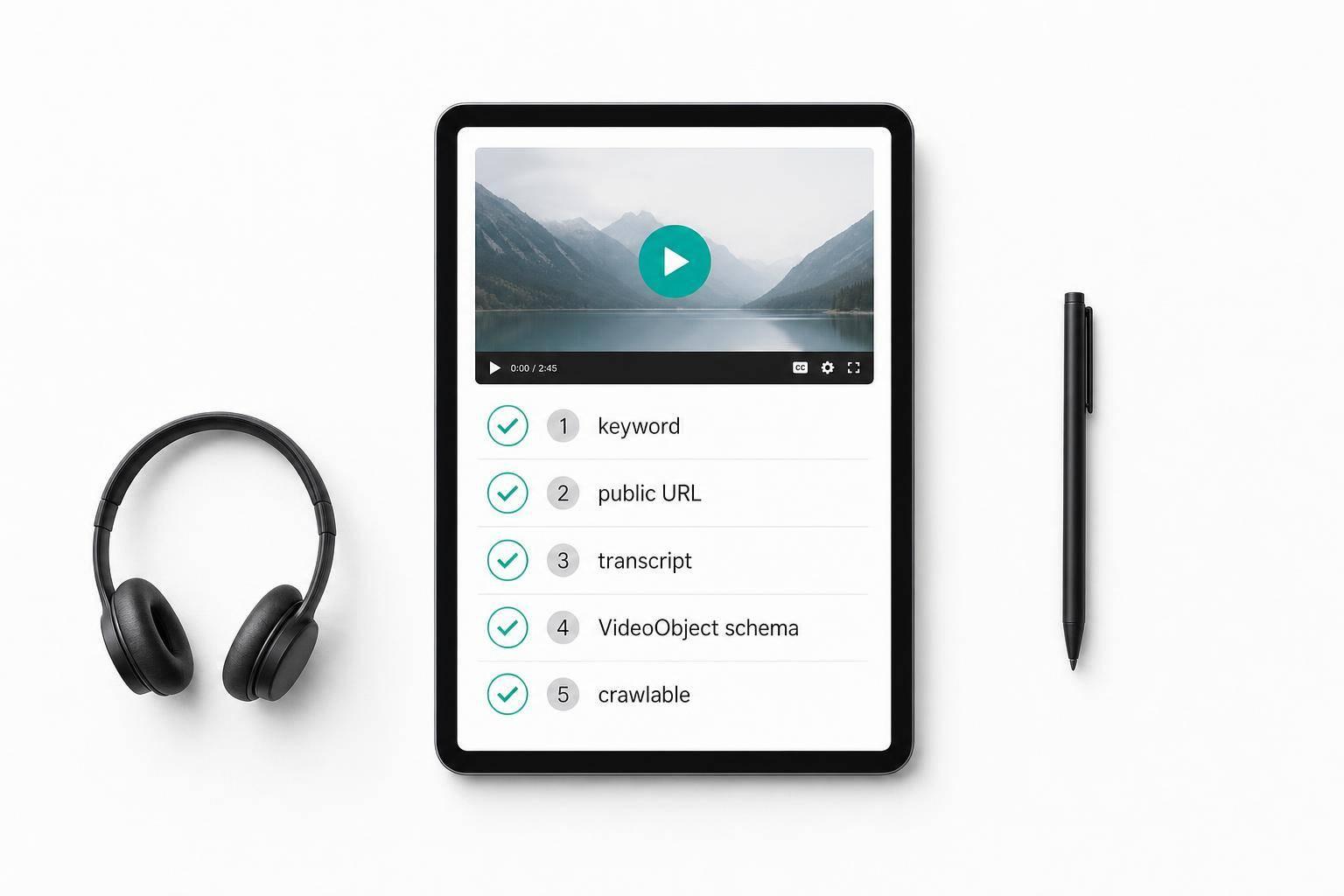
If one video sends mixed signals, it is less likely to rank. I’d keep this simple: pick 1 keyword, publish the video on 1 public page, add a clean transcript, match the title, page copy, and schema, and check that Google can crawl the page.
Here’s the short version of what matters before publish:
- Set the topic early so the script, title, and page all match
- Use one main keyword that fits what the viewer wants
- Put the video on a public URL with supporting text – not just an embed
- Fix captions and publish the transcript in HTML
- Keep the title, thumbnail, and on-page copy aligned
- Add VideoObject schema and test it before the page goes live
- Make the page crawlable and mobile-friendly
- Add internal links and include the page in your sitemap when needed
A clean setup helps search engines read one topic, one page, one video. That is the main point of the checklist, and it is what I’d review before any publish date like 09/29/2026 or later.
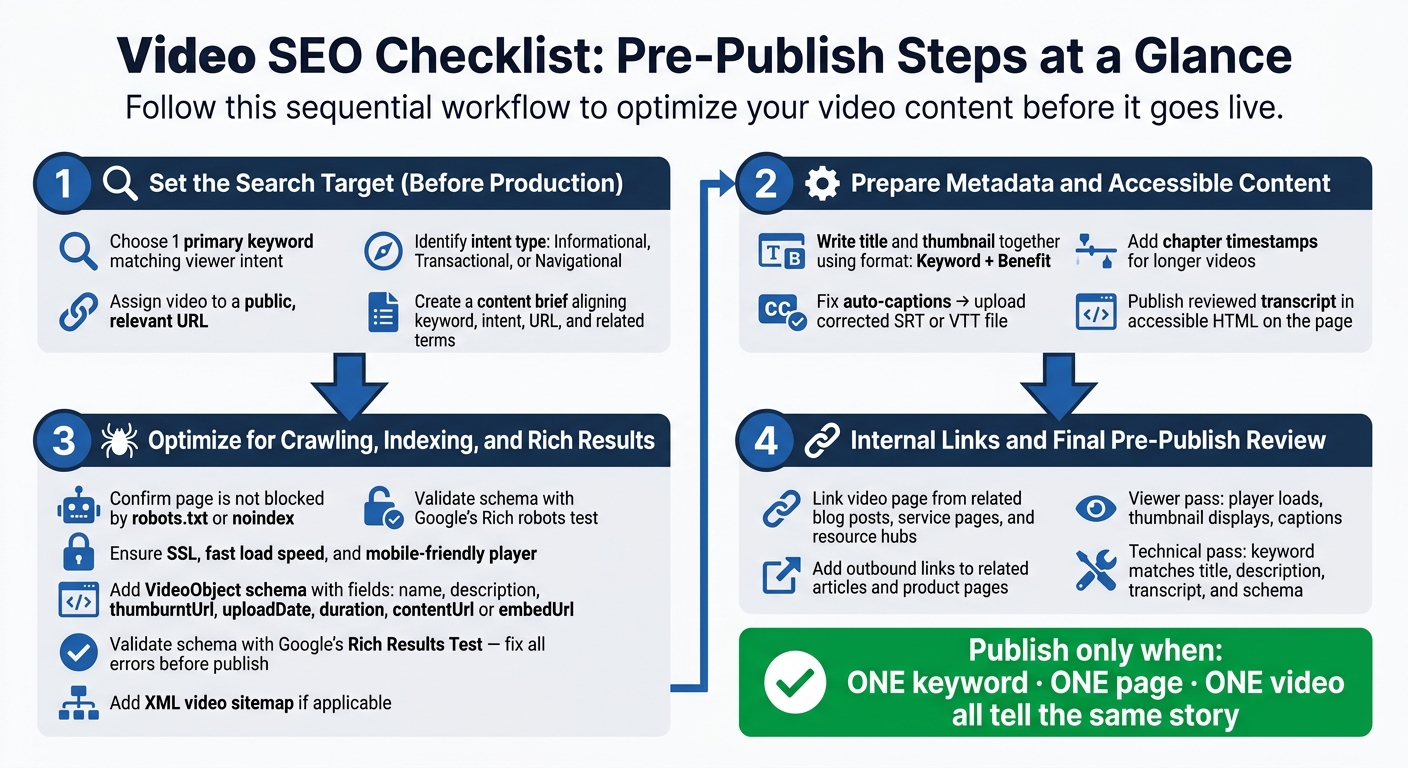
Video SEO Checklist: Pre-Publish Steps at a Glance
YouTube Video Optimization Checklist
sbb-itb-fd64e4e
Set the Search Target Before Production and Upload
Set the search target before production. That way, the script, title, page copy, and schema all point in the same direction.
Choose One Primary Keyword and Confirm Search Intent
Choose one query that matches the exact problem the video solves. Skip broad terms like "digital marketing." Long-tail keywords often show clearer intent and face less competition.
Then pin down the intent behind that keyword:
- Informational → How-to guides, product tutorials, industry problem-solving
- Transactional → Product demos, testimonials, special offers
- Navigational → Live Q&As, behind-the-scenes, user-featured content
After that, list related terms you can work into the script, page headings, and description. This gives the page more context without muddying the main target.
Once the keyword is locked in, connect it to the page that will host the video.
Assign the Video to a Public, Relevant URL
The video needs a public page on the company website. Put it on a public URL with supporting copy and a transcript. A bare embed gives search engines less context, so it does less work for you.
Keep the keyword, intent, target URL, and related terms in one content brief so each asset stays lined up.
Use that same keyword and intent when writing the title, thumbnail, transcript, and captions.
Prepare Search-Friendly Metadata and Accessible Content
Once your target is set, get the video’s public signals lined up before you publish.
Write the Title and Create the Thumbnail Together
Build the title and thumbnail as a pair. They should make the same promise about the video.
A simple format works well: Keyword + Benefit.
For the thumbnail, use one clear focal point – a face, an end result, or a bold number. If you add text, make sure people can read it at a small size. High contrast helps, but the thumbnail still needs to match the video. No bait-and-switch.
Next, give search engines a clean text version of that same video.
Add the Transcript, Captions, and Chapters
Treat auto-captions like a rough draft, not the final version. Fix names, technical terms, and numbers before you upload. Then upload corrected SRT or VTT captions.
For longer videos, add chapter timestamps in time order. They make the video easier to navigate and give each section more context.
Use the Transcript as the Master Copy
Once the transcript is clean, use it as the source for every other on-page field.
Use the reviewed transcript to write:
- the description
- chapter labels
- on-page copy
- internal links
Publish the reviewed transcript in accessible HTML on the page.
Optimize the Video Page for Crawling, Indexing, and Rich Results
Once the transcript and metadata are set, look at the page-level signals that help search engines crawl, index, and show the video in search.
Make the Page Crawlable, Mobile-Friendly, and Easy to Read
Start with crawlability. Check that the page isn’t blocked by robots.txt and doesn’t include a noindex directive. The page should also use SSL and load fast enough for both crawlers and people.
Use a clear <title> tag and H1 that line up with the video’s topic. Put the video in the first screen view – not hidden inside a tab or accordion. If a crawler can’t see the player, it can’t index the video. On mobile, make sure the player scales cleanly and that text overlays are still easy to read on smaller screens.
Add VideoObject Schema and Validate Key Fields
VideoObject structured data tells search engines what the video is and how it should appear in search results. The main fields to get right are name, description, thumbnailUrl, uploadDate, duration, and either contentUrl or embedUrl.
Every schema field should match what’s on the page. If the schema says one thing and the player shows another, that mismatch can lead to indexing errors. After you add the markup, test it with Google’s Rich Results Test before publishing. Fix every Rich Results Test error before publish.
Use Key Moments and Sitemaps When They Apply
Only use these when the page setup supports them.
- Use Clip schema for one-off videos with clear sections.
- Use SeekToAction schema for large libraries with timestamped URLs.
Add an XML video sitemap for large video libraries or pages buried deep in the site. A sitemap doesn’t guarantee indexing, but it does remove one more roadblock between your content and search visibility.
Add Internal Links and Run the Final Pre-Publish Review
Once the page clears schema and indexing checks, plug it into the rest of the site and do one last pre-publish review. Keep the setup tight: one search target, one video, one page.
Link the Video Page Into the Rest of the Site
Internal links help search engines find the new page faster. Before you publish, look for blog posts in the same topic cluster, related service pages, and resource hubs where the video makes sense.
The video page should also link out to related articles, product pages, or other pages that help support the topic. That gives search engines more context and helps viewers keep moving through the site.
Complete the Final Viewer and Technical Review
After the links are in place, review the page in two passes:
- Viewer pass: player loads, thumbnail displays, captions sync, transcript is present
- Technical pass: keyword matches title, description, transcript, and schema; URL is in the sitemap
Conclusion: Publish Only When Every Signal Describes the Same Video
The goal is one clear video story. Pick one search target early, line up your metadata to match it, publish on a crawlable page, validate your schema, and connect the page with internal links before it goes live. Publish only when the page, metadata, and video all point to the same topic.
FAQs
Why target only one keyword per video?
Focusing on one primary keyword makes it easier for search engines to understand what your video is about. That clear signal can help support stronger rankings.
It also keeps your metadata accurate and closely matched to the video’s actual topic. So instead of chasing search volume for the sake of it, you’re more likely to bring in viewers who are genuinely interested.
Can a video rank without a transcript?
Yes, a video can rank without a transcript. Search engines can still learn a lot from the title, description, and schema markup.
That said, adding a transcript can improve search performance in a big way.
Why? Because a transcript gives search engines more text to crawl and index. That extra context can help your video show up for more relevant searches, support keyword rankings, and make the page easier to understand.
It also helps with accessibility, which is a solid win for users and search visibility.
When do I need a video sitemap?
Create an XML video sitemap as part of your technical SEO. It helps search engines better understand, classify, and prioritize the video content on your site.
Schema markup, transcripts, and descriptive metadata can improve each video page on its own. A video sitemap does a different job: it helps search engines find and index your video assets more effectively.